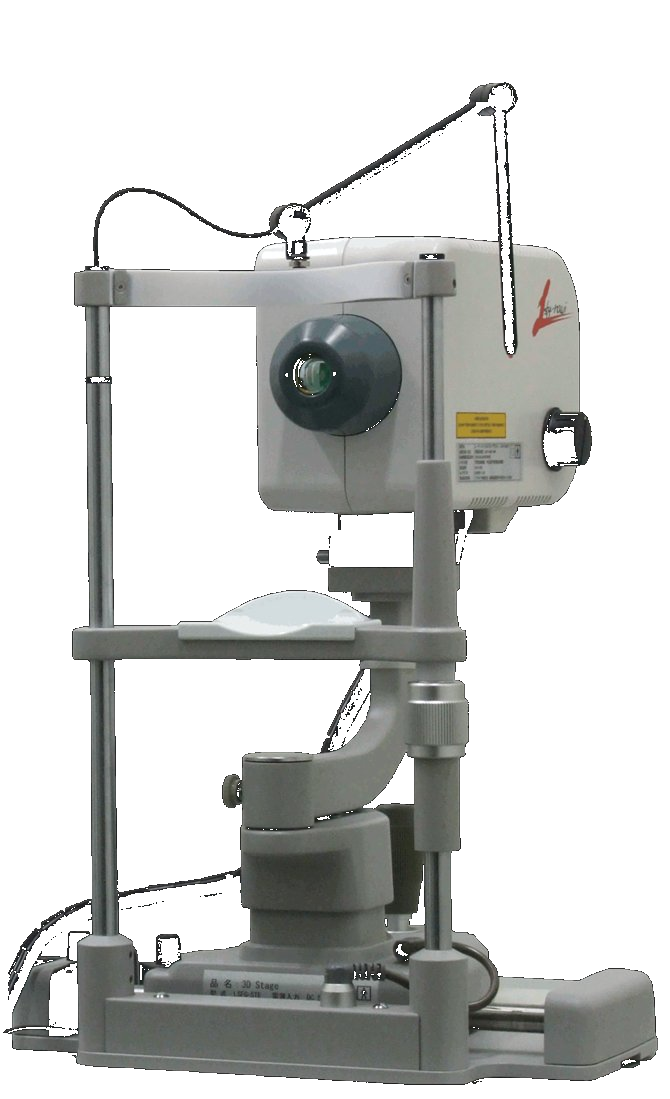
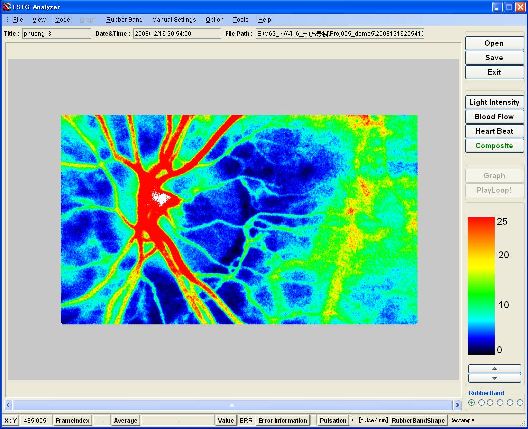
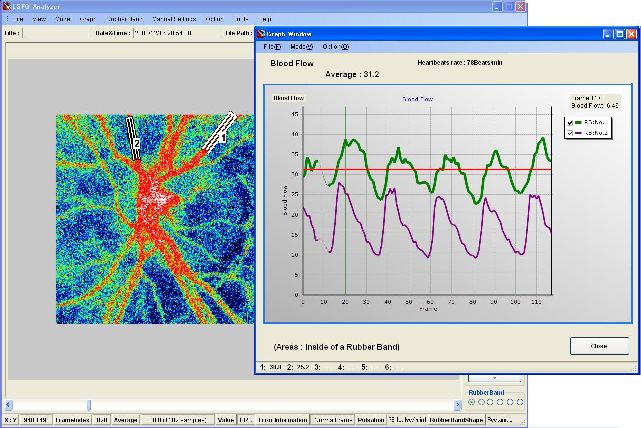
 The figure (right) shows the screen of the LSFG system's analysis software. In this example, a blood flow map of the area called the optic nerve head of the human eye is being measured and displayed. The red areas represent the retinal blood vessel portions extending from the optic disc to the surrounding area. This blood flow map has a size of 750 x 360 pixels, runs at 30 frames per second, and can be observed continuously in real time — this is the greatest feature of this system that other devices cannot replicate. Click here to see the real-time changes of the blood flow map. The measurement area has been expanding year after year with improvements in the device, and currently the entire optic nerve head region can be observed in a single measurement. Software is also being improved to automatically stitch images together to observe an even wider area. The figure (below) shows the analysis of blood flow fluctuations within a single blood vessel; such measurements can also be easily performed.
When a frame does not contain normal data, it is called an error frame. The type of error frame is displayed in the Error Information bar at the bottom of the main form.
In most cases, it should display "TrackingErr."
In the case of tracking errors, there are broadly two reasons.
The first is an error due to fixational microsaccade detection. Frames in which fixational microsaccades occur move faster than the camera's shutter speed. Therefore, if such frames are included in the analysis, incorrect values may be produced. This function was introduced from Ver. 3. However, this detection function is not extremely accurate. In rare cases where errors appear at the rising phase of the heartbeat, it is highly likely that the detection is erroneous. If you wish to adjust this detection function, please edit the contents of "Sys.ini." This file should be located in the "C:\Program Files\Softcare.,Ltd\LSFG Analyzer" directory. Open the file and increase the value of "KOSHIBIDO_SHIKIICHI." This will make the detection function less sensitive. The value can be increased up to a maximum of 1. Setting the value to 1 disables this function.
The second reason is an error caused by exceeding the tracking movement limit.
This applies to cases where, for example, the optic disc was at the center of the screen at the start of measurement, but fixation could not be maintained afterward and the disc position shifted significantly to the right. The current tracking distance limit is 100 pixels relative to the reference frame. This is because tracking beyond that distance would likely result in areas with insufficient sample counts when creating HeartBeat or Composite maps.